Generating Tilesets
Not fully implemented
The bulk mode of martin cp is in the release binaries since 2.0.0-beta.6, but parts of what these
pages describe are not implemented yet, and the configuration of layers may still change.
- Rendering points, lines and polygons, with fill ranges for covered tiles
- Tile grouping, MLT and MVT encoding, compression and deduplication
- Planning tables into layers and running a whole generation end to end
- The PostgreSQL source with partitioned whole-table scans
- Bulk mode in
martin cp, and PMTiles output - Layers with CEL expressions,
rulesandsort_by - OSM PBF, shapefile, GeoPackage and CSV files as sources
-
geometryother thanpoint,lineandpolygon -
tileoperations (merge_lines,merge_polygons,merge_multi,label_grid,dedup_by,limit)
A long-requested Martin feature is generating tiles on the fly from a feature source (raw data) inside
Martin itself, when serving tiles.
Until now, a source had to either already contain tiles (MBTiles, PMTiles) or generate them itself, like
PostgreSQL does with ST_AsMVT.
Martin adapted the tile generation method of Planetiler. Thank you to Mike Barry (@msbarry), the author of Planetiler, for an amazing tool, and to its contributors. Planetiler is licensed under the Apache License 2.0. Martin also adapted a similar layer configuration, which takes features from any source Martin supports that can produce a stream of features. Generation Architecture lists what this takes from Planetiler.
As part of this effort, martin cp can now also build a whole tileset at once, like
Planetiler. By default it asks the source for each tile separately, so the source reads a feature again
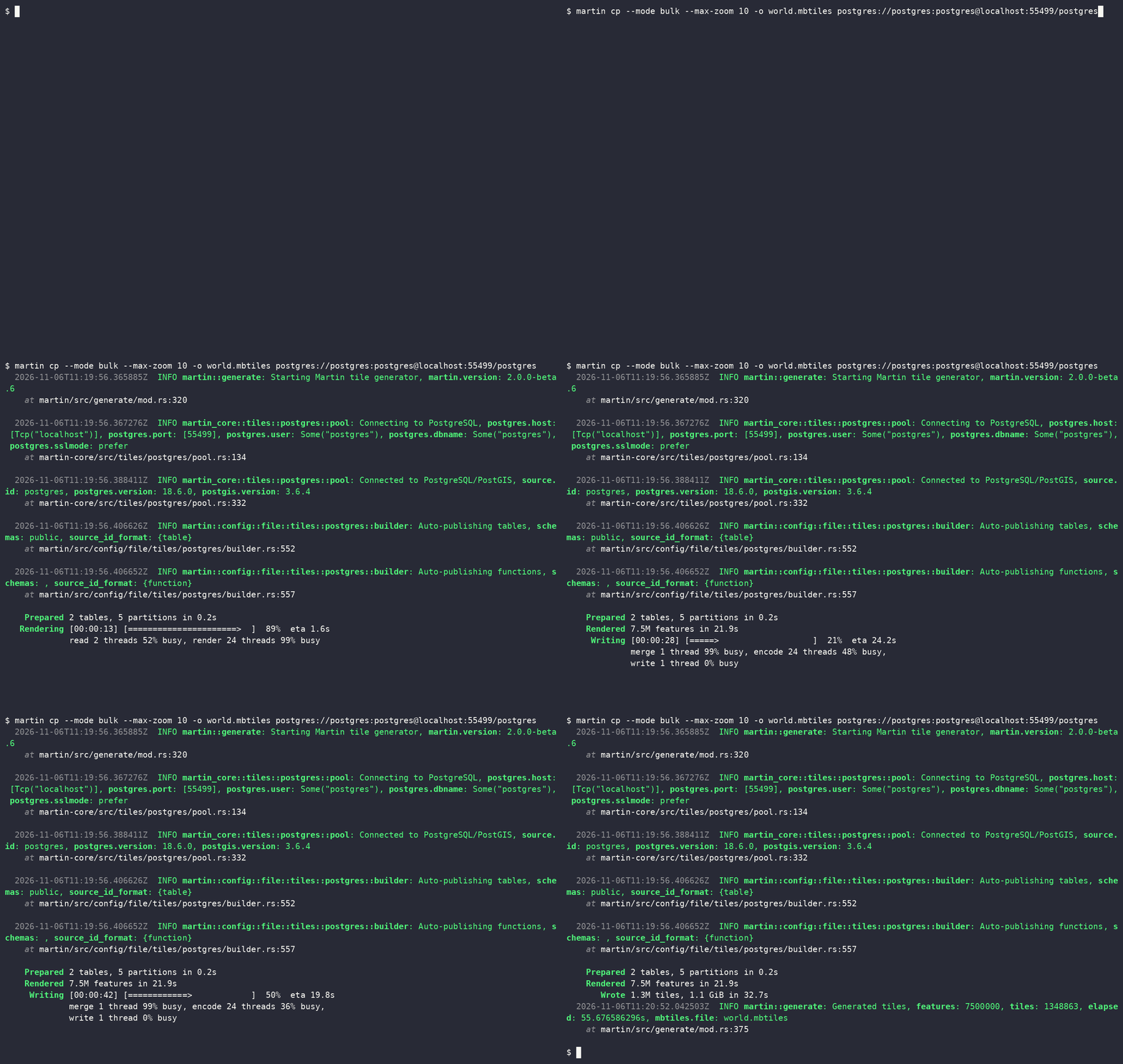
for every tile it touches, at every zoom. With --mode bulk, it instead reads each source once, renders
every feature at every zoom inside Martin, and writes the tiles in order. For large tilesets this is much
faster, and it puts far less load on the source. That also saves money: Martin instances are stateless
and cheap to scale out, for example in Kubernetes, while scaling PostgreSQL is much harder and more
expensive.
The default --mode auto still picks tile. Once bulk mode covers enough, it will pick bulk whenever
it can.
It renders points, lines and polygons, single or multi, and skips empty geometries. Any other geometry, such as a geometry collection, a triangle or a TIN, stops the run with an error.
Usage
martin cp --mode bulk                   \
          --output-file tileset.mbtiles \
          --source roads,shops          \
          --max-zoom 14                 \
          postgres://postgres@localhost:5432/db
This renders the sources roads and shops into tileset.mbtiles, at zooms 0 to 14. Without
--source, every source is rendered. Sources come from the same connection strings or
configuration file as for the tile server.
Only table sources can be rendered, not function sources. All of them must come from one PostgreSQL connection.
Each source becomes one layer, named by its layer_id or its source id. A source with
layers feeds several layers from one read instead, each with its own
features, zooms, attributes and draw order.
The same data and options give the same tiles, however many threads are used.
Configuration file
The configuration file only describes the sources. The options of a run are command-line arguments,
and the file has no section for martin cp.
postgres:
  connection_string: postgres://postgres@localhost:5432/db
  tables:
    shops:
      schema: public
      table: shops
      geometry_column: geom
      id_column: osm_id
      minzoom: 12
      properties:
        name: text
        shop: text
    roads:
      schema: public
      table: roads
      geometry_column: geom
      properties:
        class: text
        name: text
      layers:
        roads:
          attributes: [class]
        road_labels:
          minzoom: 10
          where: "name != null"
          attributes: [name]
Of a table source, bulk mode uses schema, table,
geometry_column, srid, id_column, properties, filter, minzoom, maxzoom, extent,
buffer, clip_geom, layer_id and layers. Settings that only affect
serving, such as caching, are ignored.
Options
| Option | Default | Meaning |
|---|---|---|
--output-file |
A new .pmtiles archive, or an .mbtiles file that is new or empty |
|
--source |
all sources | Comma-separated source ids |
--format |
mlt |
mlt or mvt |
--encoding |
gzip for MBtiles or MVT in PMTIlesnone for MLT in PMTiles |
MBTiles: gzip, zlib or none.PMTiles: gzip, br, zstd or none for MVT, none for MLT |
--min-zoom |
0 |
Lowest zoom, raised by a source's minzoom |
--max-zoom |
14 |
Highest zoom, lowered by a source's maxzoom |
--zoom-levels |
Instead of --min-zoom and --max-zoom, zooms that do not skip a level, e.g. 5,6,7 |
|
--bbox |
whole world | Only tiles touching min_lon,min_lat,max_lon,max_lat, at most once |
--memory |
2GiB |
Memory for sorting, e.g. 512MB or 4GiB, split over the threads |
--temp-dir |
system temp dir | Where sorted runs go, repeatable to spread them over several disks |
--threads |
CPU count | Worker threads |
--mvt-quirk |
MVT: a quirk to encode with, repeatable |
The tile server's configuration and PostgreSQL arguments also apply, such as
--config and --pool-size. A configuration file and connection strings cannot be combined.
--mbtiles-type, --skip-agg-tiles-hash, --set-meta and --delete-meta work as in tile mode,
for .mbtiles output only. Bulk mode refuses --url-query, --on-duplicate, --concurrency (its
workers are --threads), --save-config, and max_feature_count in the config or as
--max-feature-count. Tile mode refuses --memory, --temp-dir, --threads and --mvt-quirk.
--bbox picks tiles, as in tile mode, and each of them holds every feature it covers.
The scan reads everything the tiles of the lowest zoom cover, so with --min-zoom 0 it reads the whole world.
Each zoom lower reads up to four times the area, and zooms below --min-zoom do not count.
For a small box, raise --min-zoom to keep the scan close to it.
The highest zoom is 27. The tile grid can lower it further, since extent × 2^zoom must not exceed
2^30. With the default extent of 4096, that is zoom 18.
A failed or interrupted run removes the output file. Temporary files are always removed.
MVT quirks
Each --mvt-quirk changes how MVT tiles are encoded, so it needs --format mvt:
| Quirk | Effect |
|---|---|
keep-unused-keys |
Each layer lists every key the config gives it, used or not, in config order, as ST_AsMVT does. Other keys, such as those of a JSON column, follow in the order features first use them. |
preserve-ring-start |
A polygon ring keeps its source start. By default, a ring in a tile that gets its whole polygon starts where ST_AsMVTGeom's wagyu starts it. |
Sizing a run
--memoryis split evenly over the render workers. Each gets at least 16 MiB and at most 4 GiB, so with many threads the total can exceed--memory. More memory means fewer, longer sorted runs. Up to 4096 runs are merged at once. With more, groups of runs are merged into longer ones first, which reads and writes the temporary data one more time.- The temporary data holds a piece of every feature for every tile it touches, at every zoom. It grows with the zoom range and is usually several times the size of the input. Merging more than 4096 runs needs room for one more copy.
--temp-dirtakes the sorted runs in turn. Directories on separate disks spread the I/O.--threadssets the number of render workers and encoders.
Tables are read over one connection per two threads, and no more than the pool's pool_size.
Generation Architecture explains how a run reads, sorts, encodes and writes the tiles, and what bounds its memory.